
Downloads
Software
Upgrade Comparison
| 3rd Party Software Supported | X-Rite MeasureColor SW and third party scanning integrators | |
|---|---|---|
| Aperture | eXact Auto-Scan supports eXact with 1.5mm & 2mm | |
| Battery | Lithium Ion, 7.4VDC, 2200mAh | |
| BestMatch Feature | Yes | |
| Black Background With Sheet Storage | Yes | |
| Calibration | On integrated and covered white reference | |
| Closed Loop Support | Yes | Yes |
| Color Bar Alignment | Yes | Laser |
| Color Differences | CIE ∆E* (1976), CIE ∆E* (2000), and CIE ∆E* (1994) | |
| Color Spaces | CIE L*a*b*, CIE L*C*h° | |
| Communication Interface | Ethernet | USB 2.0; Bluetooth - Class II |
| Configuration Options | Head type, table size | Track length, Closed Loop Solution, Vacuum Pump, Foot Pedal, NetProfiler |
| Connectivity | USB 2.0; Bluetooth (not for Apple M1 and later systems) | |
| Density Range | 0.0 D to 2.5 D | 0.00 D – 3.00 D |
| Density Standards | Status A, E, I, T | |
| Experience Level | Press Operators, Print Quality Managers interested in controlling color throughout the workflow and reducing make-ready waste. | |
| Humidity | 85% RH (non condensing) | 30% to 85% RH (non-condensing) |
| Industry Standards | ISO 5-4:2009(E), ISO 13655:2009, ISO 12647-2, G7, PSO, Japan Color | |
| Ink Wells / Ink Units | Standard: Up to 6
G7/ISO option: Up to 8 |
|
| Instrument Display | Color touch-screen, 320 x 240 pixels | |
| Inter-Instrument Agreement | Average: 0.50 dE*00
Max: 1.0 dE*00 |
0.3 dE*ab |
| Languages Supported | Chinese Simplified, Chinese Traditional, English, French, German, Italian, Japanese, Portuguese, Spanish | |
| Light Source | Gas Pressure Lamp | Gas filled tungsten (illuminant type A) and UV LED |
| Measurement Background | Black as specified in ISO 12647-2 and 3 | |
| Measurement Conditions | M0, M3 (CMYK only) | M0, M1 (method 1 and method 2), M2, M3 (all according to ISO 13655:2009) |
| Measurement Geometry | 45°:0° ring illumination optics, ISO 5-4:2009 | |
| Measurement Spot | eXact Auto-Scan supports 1.5mm & 2mm | |
| Media Thickness | 1mm or less | |
| Minimal Media Thickness | min 0.1 mm | |
| NetProfiler Support | Yes | |
| Operating Temperature Range | 10°C to 40°C
50°F to 104°F |
10°C to 35°C; 50°F to 95°F |
| Paper Thickness | max 1.5 mm | |
| Pass / Fail | Yes | |
| Patch Size | 4 mm x 3.8 mm | Min Color Bar Height: 3.0mm or larger (with 1.5mm aperture) 4.0mm or larger (with 2.0mm aperture) |
| Scan Length | 29" (74cm)
40"(102cm) |
29" Track: 31.0” / 78.8cm 40" Track: 41.7” / 106.0cm |
| Scanning Capability | Yes | Yes |
| Scanning Speed | 150 mm / sec | 160mm (6.3”) / sec (with 1.5 mm aperture on 4 mm patches) |
| Short Term Repeatability - Density | '+/- 0.01 D @ 1. 5D | On White: ±0.01D max. Cyan, Magenta, and Black: ±0.02D @ 1.8D Yellow: ±0.02D @ 2.0D, with M3: ±0.03D @ 1.8D |
| Short Term Repeatability - White | 0.20 dE*00 | 0.15 ΔE max |
| Single Pass Scan | M0 and M3 (CMYK only) | M0/M1 or M0/M3 or M1/M3 |
| Software Development Kit | Yes | Yes |
| Software Modes | Density /Spectral | |
| Spectral Analyzer | DRS Spectral Engine | |
| Spectral Range | 400 nm to 700 nm | |
| Spectral Reporting | 400 nm to 700 nm with 10nm interval | |
| Storage Temperature Range | '-20°C to 70°C
- 4°F to 158°F |
-20° to 50°C, -4° to 122°F |
| Supported Devices | EasyTrax, eXact | |
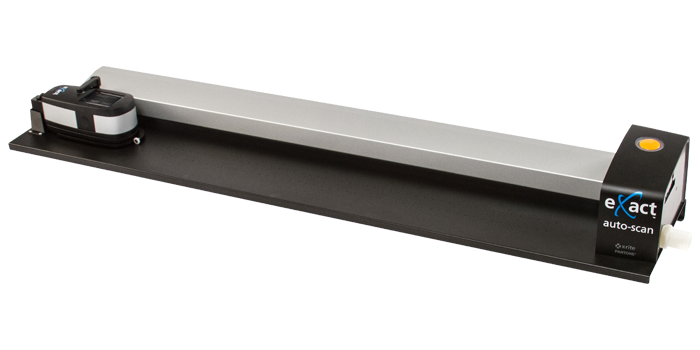
| Track Sizes | 29" (74cm)
40"(102cm) |
29" (74cm) or 40"(102cm) |
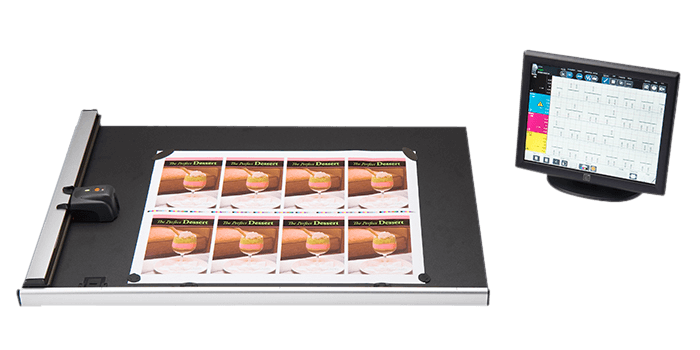
| User Experience | Designed for commercial offset printers. Easy set-up and install with track and MeasureColor software. |
|
| Voltage | 100 - 240VAC, 50/60Hz | 100 - 240VAC, 50/60Hz |
| Warranty | 1 year | |
| What's Included? | Track, Vacuum pump (optional), Power supply, Interface cables, eXact Standard or Advanced with Scan and Bluetooth, Manuals, Carrying case, Device certificate | |
| Windows | Windows® 10 (64 bit), Windows® 11 (64 bit) | |
| Show More | ||
Support Articles
- Service For The EasyTrax System - Repair or Recertification?
- EasyTrax IP Address Reset - Communication Failure
- EasyTrax LED Indicator Meanings
- Graphs Not Being Saved After Measurement
- IntelliTrax - Setting the Default Static IP Address in your Computer
