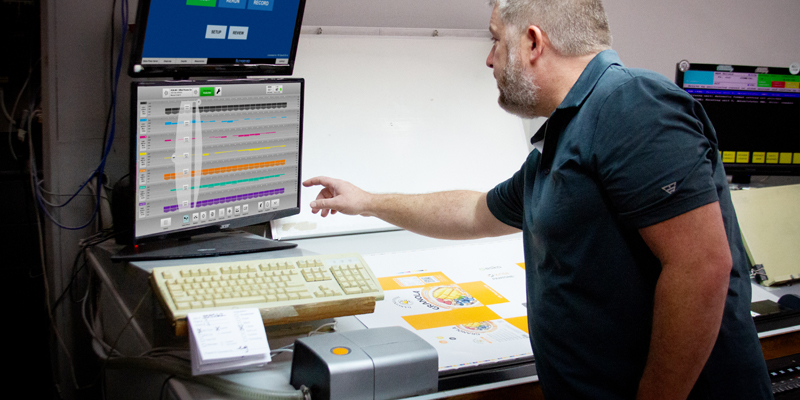
Hitting offset lithographic color targets isn’t always fast or easy. The manual process of measuring color bars and making ink key adjustments takes time and opens the door to operator error. Meanwhile, the press is running (and wasting) paper and ink. To achieve accurate and repeatable color, printers need to convert their printing operation to an efficient manufacturing process and drive efficiencies in all phases of their operation. For many, a closed-loop automated solution is the answer.
Closed-loop automates the process by capturing spectral data directly from the press sheet and automatically updating the ink keys. It cuts down on paper and ink expenses that accumulate when you’re not getting up to color quickly, makes short runs more profitable, and minimizes operator intervention. It’s so much faster and more accurate than a traditional workflow that it pays for itself almost immediately.
Is your printing operation ready for a closed-loop solution? Today we’re looking at the tools and software you need to upgrade.
Color Measurement Tools to Automate Press Sheet Scanning
Capturing spectral data is the first step in automating your workflow, and we offer two devices that integrate seamlessly with closed-loop control. While both can be used on their own, they gain more power as part of a complete solution.
IntelliTrax2 Automated Scanning System
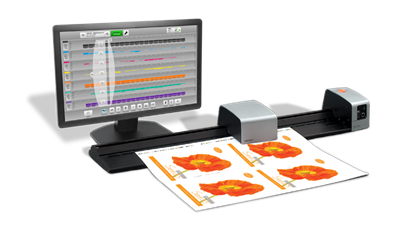
The IntelliTrax2 automatically scans the color bar of a typical press sheet in less than 10 seconds, then provides instant, on-screen reports. The advanced imaging technology in IntelliTrax2 automatically adjusts the scanning head to locate the color bar, ensuring faster sheet positioning and accurate measurements every time. Since it's non-contact, you don't need to worry about smudging or scratching the image.
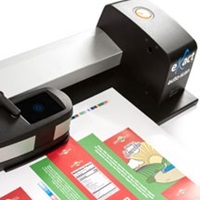
eXact Auto-Scan Versatile Scanning Solution
The eXact Auto-Scan offers press room flexibility for measuring color with spot, manual, and automated scanning capabilities. When scanning, the eXact Auto-Scan can measure a 40-inch color bar in less than 15 seconds, reducing the potential for human error and cutting make-ready by more than 30%. It reports immediate, comprehensive color data through Bluetooth technology so press operators can make prompt adjustments to the press run.
Software to Automate Ink Key Adjustments
X-Rite offers two products that integrate with eXact Auto-Scan and IntelliTrax2 to automatically update ink keys without manual operator adjustment. Each solution offers a touch screen interface that allows operators to initiate or reject closed-loop action after the scan with one touch, empowering users to print to G7, ISO standards, or in-house standards with ease and confidence.
IntelliPack Closed Loop Solution
Compatible with IntelliTrax2 and eXact Auto-Scan, this complete system works with up to 20 units web and sheetfed presses of any width. Designed for packaging and high volume environments, IntelliPack includes preset and closed loop control, making it ideal for plants running multiple presses.
Before you start the press, the CIP or TIFF files from prepress will provide all the information that IntelliSet needs to automatically preset the ink keys. Simply choose the print job and paper type on the touchscreen monitor and IntelliSet does the rest.
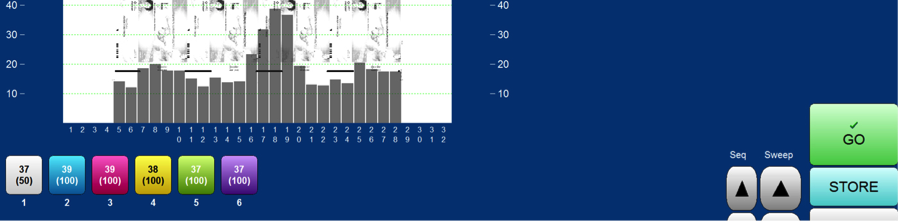
Once you start the job, scan the press sheet color bar to get spectral and density data and IntelliLoop will take care of adjusting ink keys. During the press run, feed color data into IntelliLoop with periodic scans of the color bar, and the software will alert the press operator if auto-adjustments are necessary to keep color consistent.
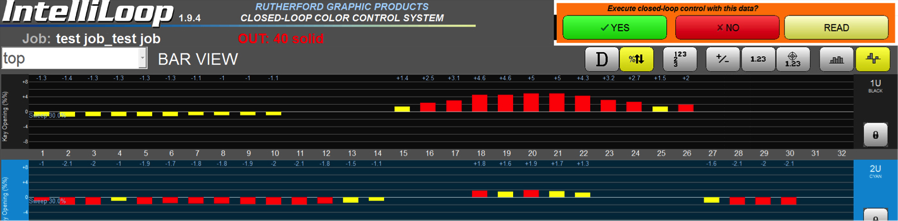
IntelliPress2 Closed Loop Solution
The second option is an entry-level solution that also works with both IntelliTrax2 and eXact Auto-Scan. IntelliPress2 is designed for commercial printers who want an affordable way to add closed loop control without the broader infrastructure included in IntelliPack. It offers closed loop functionality through EasyLoop but does not include higher tier components like Pre OPS automation for automated CIP3 files processing, stack light signaling, or support color bars on printed white backing.
Is a closed-loop system worth the investment?
A closed loop system doesn’t just pay for itself, it transforms how your pressroom operates. By standardizing color, reducing waste, and giving operators clearer control, you can consistently deliver higher quality work with less effort.
If you’re ready to explore what this could look like in your environment, use our Closed Loop ROI Tool to calculate your potential savings.
Contact our Color Experts today to learn how to enhance the performance of your press.