Network Connection Identification on Windows
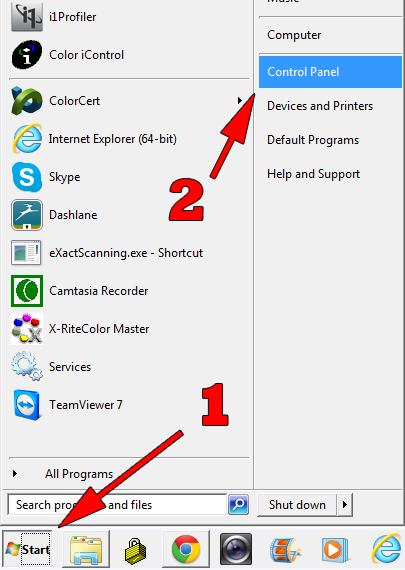
The following instruction were created using Windows 7. Instructions for other versions of Windows may be slightly different.- From your Windows desktop click "Start"
- Click "Control Panel"
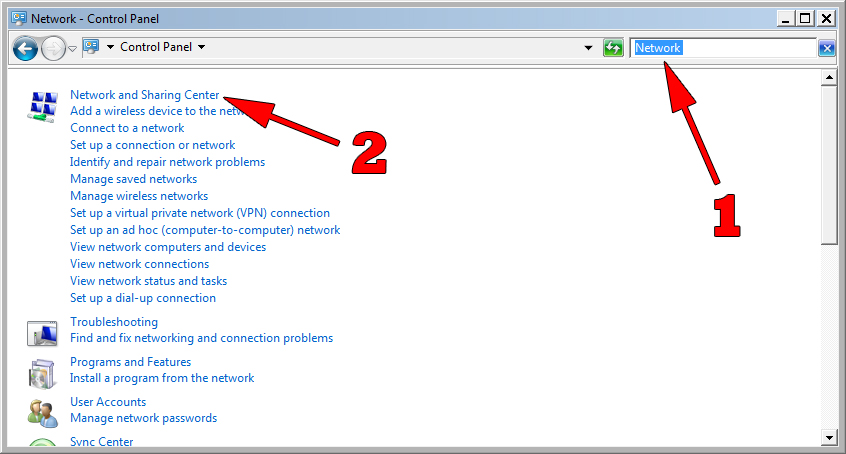
- In the search box, type "Network"
- Click "Network and Sharing Center"
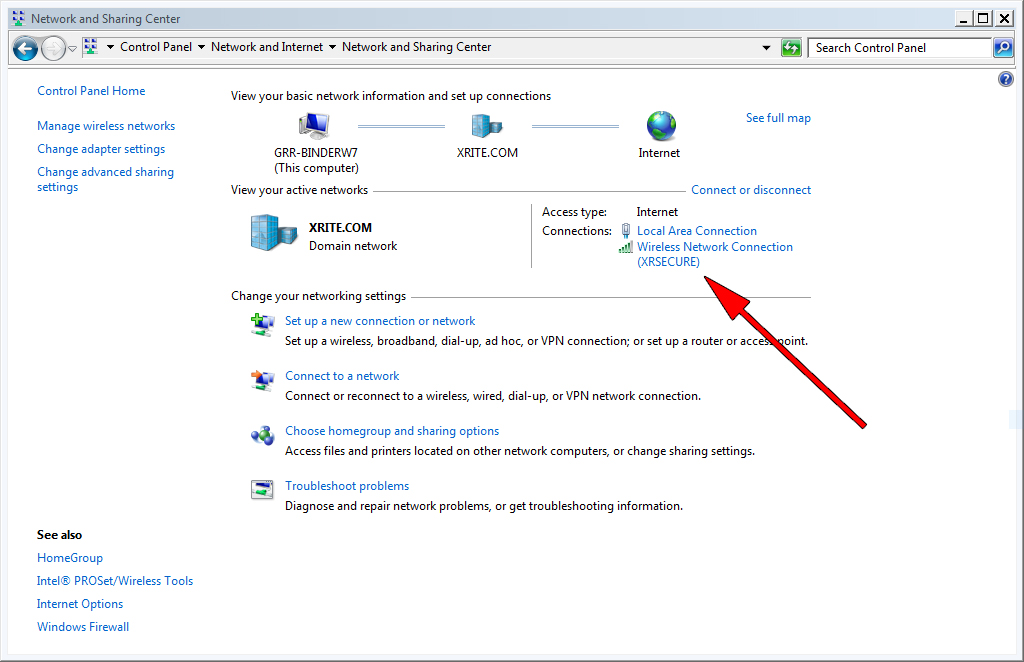
- Here you can see what network you are connected to
- In the example shown here, I am connected to a wireless network titled "XRSECURE"